
 Brooke Von Ehwegen
Navigating the End of the Penny: What it Means for You
 Rhonda Handy : November 12, 2025
Learn why the U.S. is retiring the penny and what it means for cash transactions and financial institutions. Discover the benefits and challenges of...
Note: This story also features insights from Josh PeterSmith, Graphic Designer.
If you’ve ever looked at an AI-generated image and thought, “Why does that person have seven fingers?”… you’re not alone.
Generative image AI – as we now use it – has made leaps and bounds over the past few years. The rapid changes, constant model updates and amount of generative AI programs offered can often lead business leaders to wonder how to jump into the new shiny object rather than pause to ask whether they should.
The AI neural cloud of data is based on preexisting information. It simply remixes what already exists. AI doesn’t know your brand’s style, tone or audience. It’s pulling from the conglomerate, simulating behavior.
Sure, AI generation is getting “better” with each model, but the general public is quick to spot flaws in AI-generated images – which can lead to mistrust of the brand. Economists feel a sense of tension in the AI bubble (is it ready to burst?) and many creatives are yearning for the days of authentic imagery and on-site photoshoots.
But since AI isn’t going anywhere, how do we integrate it appropriately and ethically into our current workflow?

AI is often portrayed as a glamorous be-all, end-all design solution for all your creative and marketing needs. But that couldn’t be further from the truth. The computer models don’t understand the emotional and design nuances behind photo choices, font and color pairing or design flair that connects on a human empathetic level.

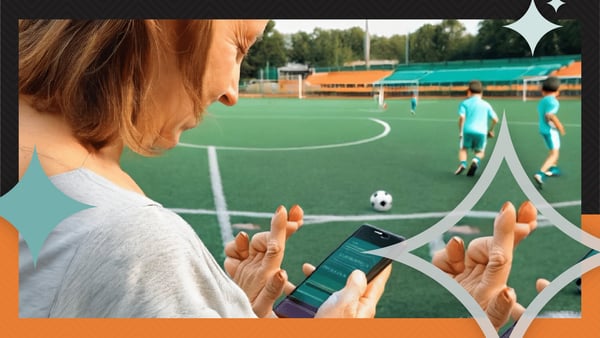
While AI clearly has its drawbacks, there are positive uses of AI features – many of which are the creative exploration features in the Adobe Suite.
That is just to name a few. You can explore more Generative AI tools by downloading our Generative AI handout or try it for yourself at https://www.adobe.com/products/firefly.html.
Not all AI is ethically sourced, and it may create future legal issues for your company if not properly vetted. The foundation of Generative AI is built on the backs of artists and creators. It is essential that the tools you are using are labeled for commercial use. Please consult your legal team for fair use with AI imagery.
At Mills, we approach marketing through the lens of authenticity and recommend our clients do the same. It’s important to us that AI doesn’t dominate our workflow, but instead supports it ... enhancing the work we deliver, not replacing the thinking behind it.
Generative AI works best as a helpful sidekick to our passions, not the solution. Because at the end of the day, great marketing still comes from real people, real ideas and maybe a few coffee-fueled brainstorming sessions along the way.
Adobe, Illustrator, Photoshop and Premiere are registered trademarks of Adobe in the United States and/or other countries.

 Rhonda Handy : November 12, 2025
Learn why the U.S. is retiring the penny and what it means for cash transactions and financial institutions. Discover the benefits and challenges of...
 Ryan Pleggenkuhle : May 09, 2023
Given the current state of banking, some financial institutions may be asking themselves: “What should we be doing right now to best prepare for the...
 Ryan Pleggenkuhle : December 13, 2023
Discover how generative AI audio and visual tools can impact your marketing strategy and improve efficiency. Here are insights for marketers.